How to Make Strong Passwords You Can Actually Remember
2 min read · 6 steps · Updated 1 October 2026
Using the same password everywhere? How to make strong passwords you can remember: length beats complexity, use a passphrase, never reuse passwords, use a password manager, turn on two-factor authentication, and try passkeys. Plus how to check if your email was in a data breach.

Using the same password everywhere? You're not alone, but it's one of the easiest ways to get hacked. Here's how to make strong passwords you can actually remember, and keep your accounts safe.
First, why do weak passwords get cracked? Criminals use programs that try millions of guesses, starting with common passwords, names and dates. And when one website is hacked, they try the same email and password on other sites.
Step by step

Length beats complexity
A long password is much harder to crack than a short one with symbols. Aim for at least twelve to fifteen characters. Longer is better.

Use a passphrase
Pick three or four random words and put them together, for example: purple, river, toaster, jump. It's long, easy to remember, and hard to guess. Add a number or symbol if the site asks for one. Don't use song lyrics or famous quotes.

Never reuse passwords
Every important account needs its own password. Start with the most important ones: your email, your bank, and your phone account. If someone gets into your email, they can reset everything else.

Use a password manager
You don't need to remember dozens of passwords. A password manager remembers them for you and creates strong ones. Many phones and browsers have one built in, like Apple Passwords or Google Password Manager. Then you only need one strong main password.
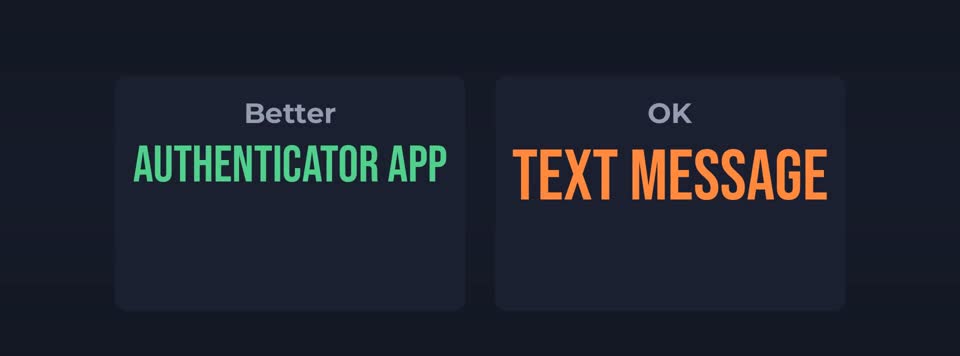
Turn on two-factor authentication
With two-factor, even if someone steals your password, they also need a code from your phone. Use an authenticator app if you can. It's safer than text messages.

Try passkeys
More and more websites now offer passkeys. Instead of a password, you sign in with your fingerprint, face or phone PIN. They can't be phished or reused, so turn them on where you can.
Good to know
And check if your email has appeared in a data breach. A free site like Have I Been Pwned shows you, and your password manager may warn you too. If it has, change that password straight away.
Never share your password or codes with anyone who contacts you, even if they say they're from your bank or support team.
In short: Go long, use a passphrase, never reuse passwords, use a password manager, turn on two-factor, and try passkeys.